StagePhrase 2.0 The MIDI & Audio Phrase Launcher for MainStage & Gig Performer.
Launch perfectly synchronized MIDI and audio phrases while you play live. Trigger phrases, build layered stacks and switch scenes. Control software instruments, external synthesizers and backing tracks — all from one powerful plugin.
- MIDI + Audio
- Perfect Sync
- Phrases, Stacks & Scenes
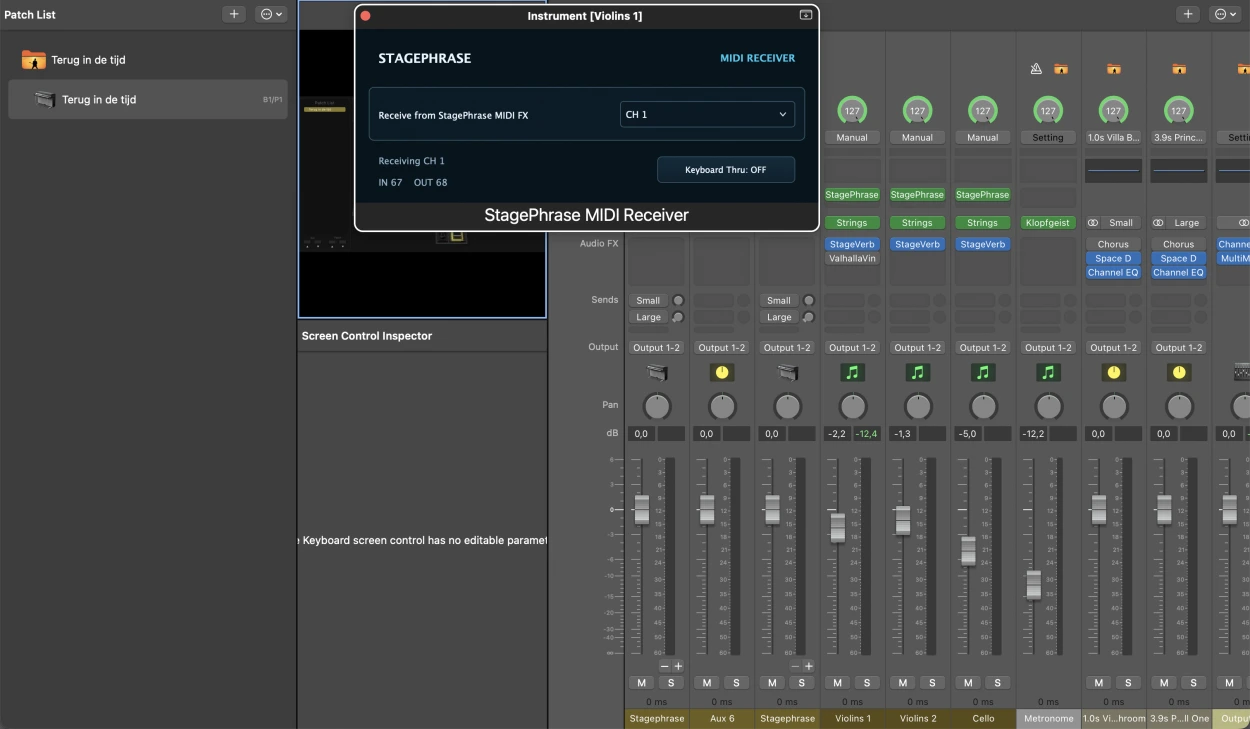
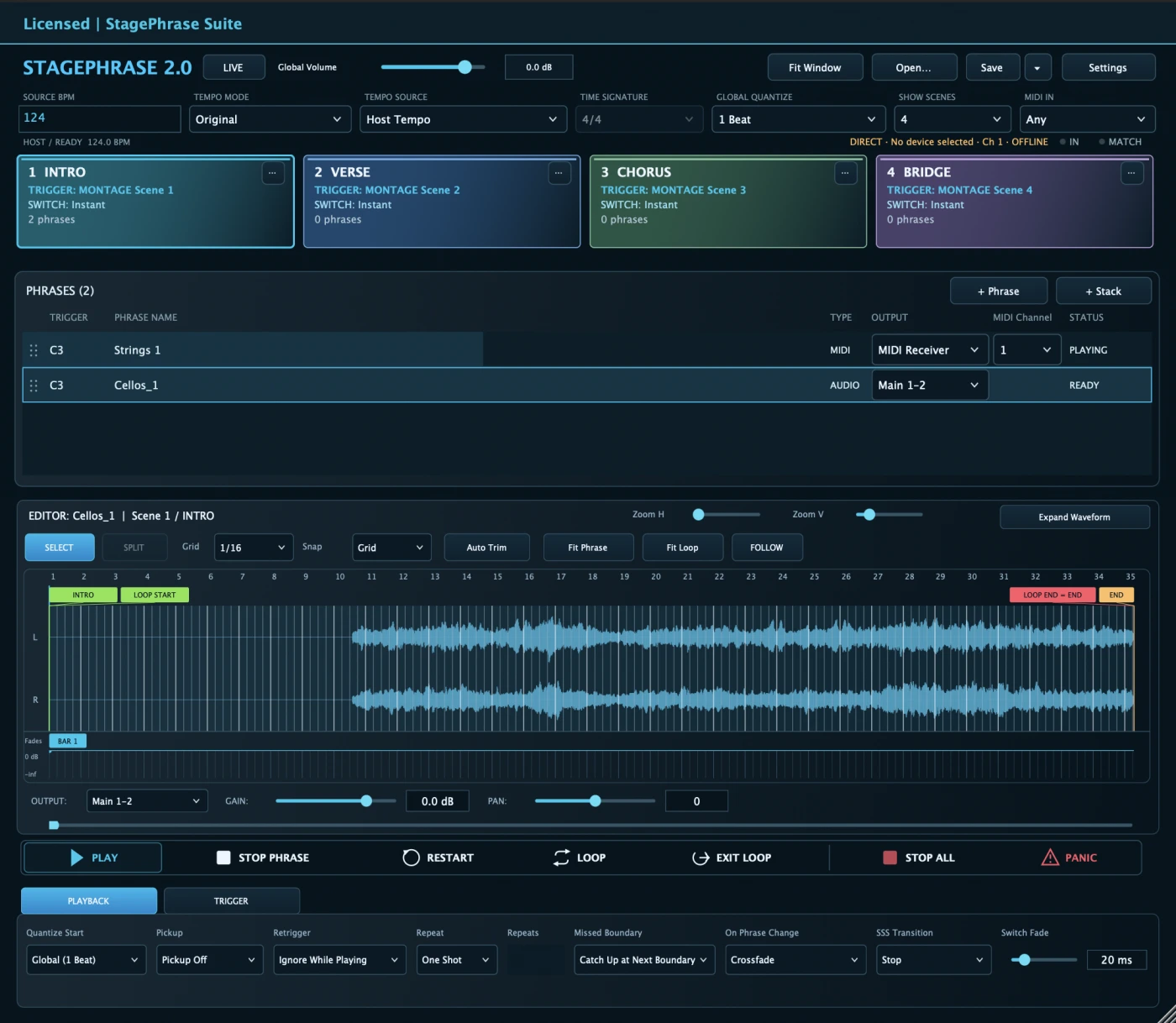
 MainStage
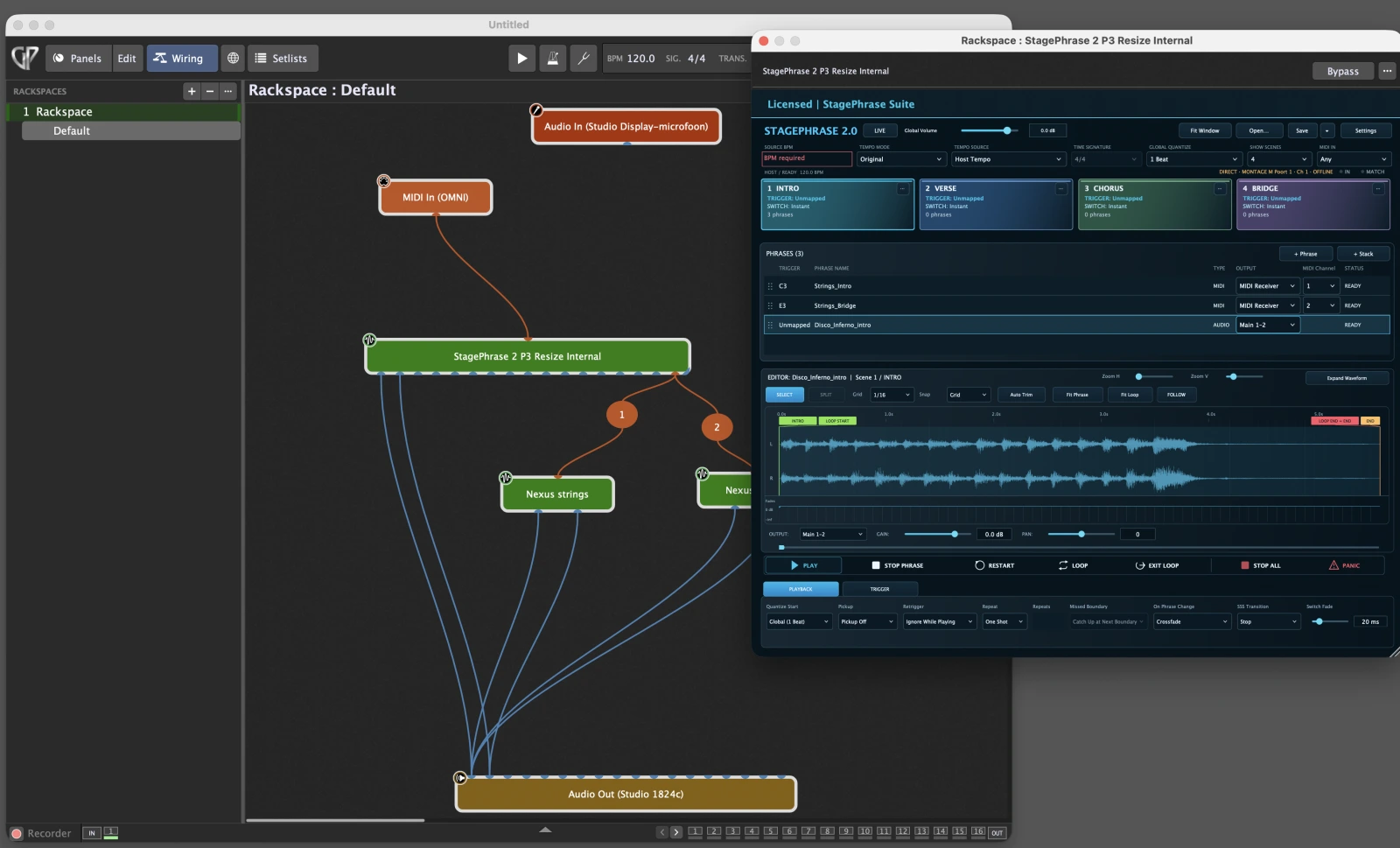
 Gig Performer
Audio and MIDI. One performance.
Play your lead part while an audio loop and MIDI backing parts come in together. Trigger and control each phrase independently, or launch several layers together when the arrangement calls for it.
Stay perfectly in sync.
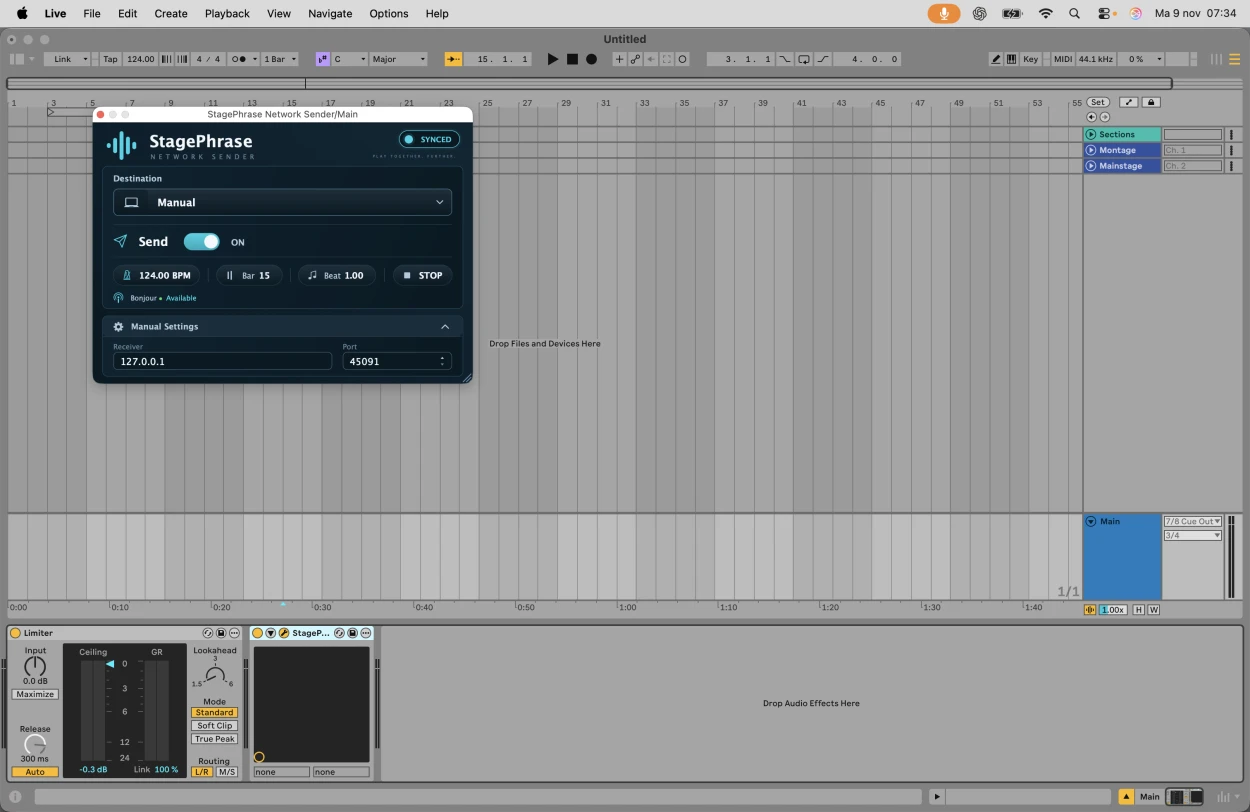
Follow your host’s tempo or use external MIDI Clock. With Network Sync, StagePhrase Network Sender can send tempo and musical timing from Ableton Live to StagePhrase in MainStage.
Supported audio phrases can follow tempo changes. Use Pickup to lead into BAR 1, Catch-Up for a late trigger, and MIDI Ghost Notes where supported.
Phrases. Stacks. Scenes.
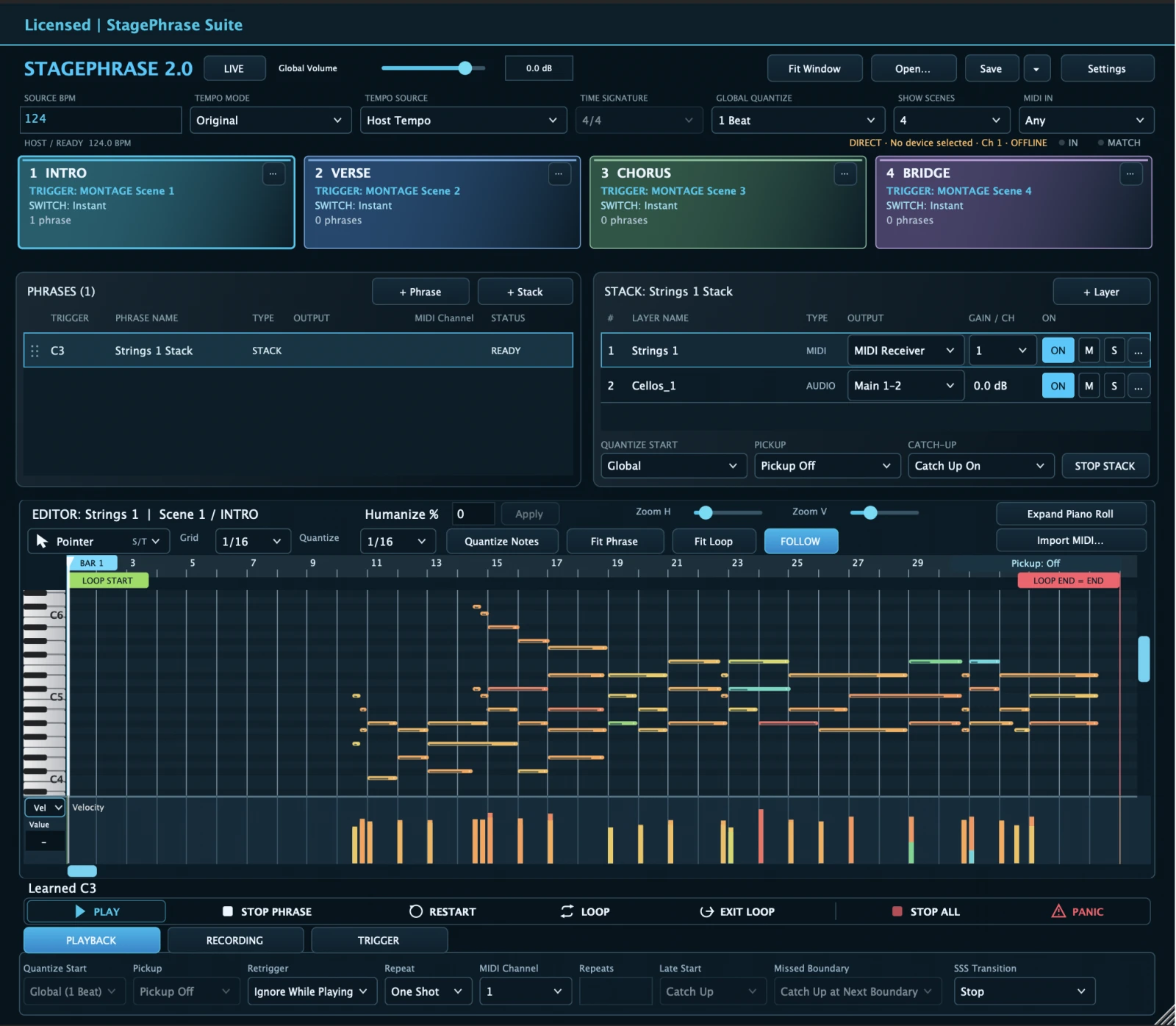
Launch a phrase on its own, group audio and MIDI layers into a Stack, or organize a whole arrangement into Scenes.
Use On Scene Change to control what happens when you move from one song section to the next.
Every part. Your control.
Route MIDI to software instruments or external hardware through a supported host setup. In MainStage, use StagePhrase MIDI Receiver on destination channel strips where needed.
Assign parts to separate outputs where the plug-in format and host support them. Mix routed parts on their own host channel strips with EQ, compression and effects.
Made for live performance.
Prevent accidental retriggers Set Retrigger to Ignore While Playing. Press the same trigger again while the phrase is running, and StagePhrase ignores it. Once the phrase stops, you can trigger it again.
Trigger a phrase only once. In the Trigger tab, set Trigger Once to On. Use Reset to rearm the phrase.

Use Audio Units in MainStage or VST3 in Gig Performer. Assign notes and supported chord triggers with MIDI Learn, map host controls for hands-on playback, and edit MIDI phrases in the built-in piano roll.
Play your hardware alongside your software.
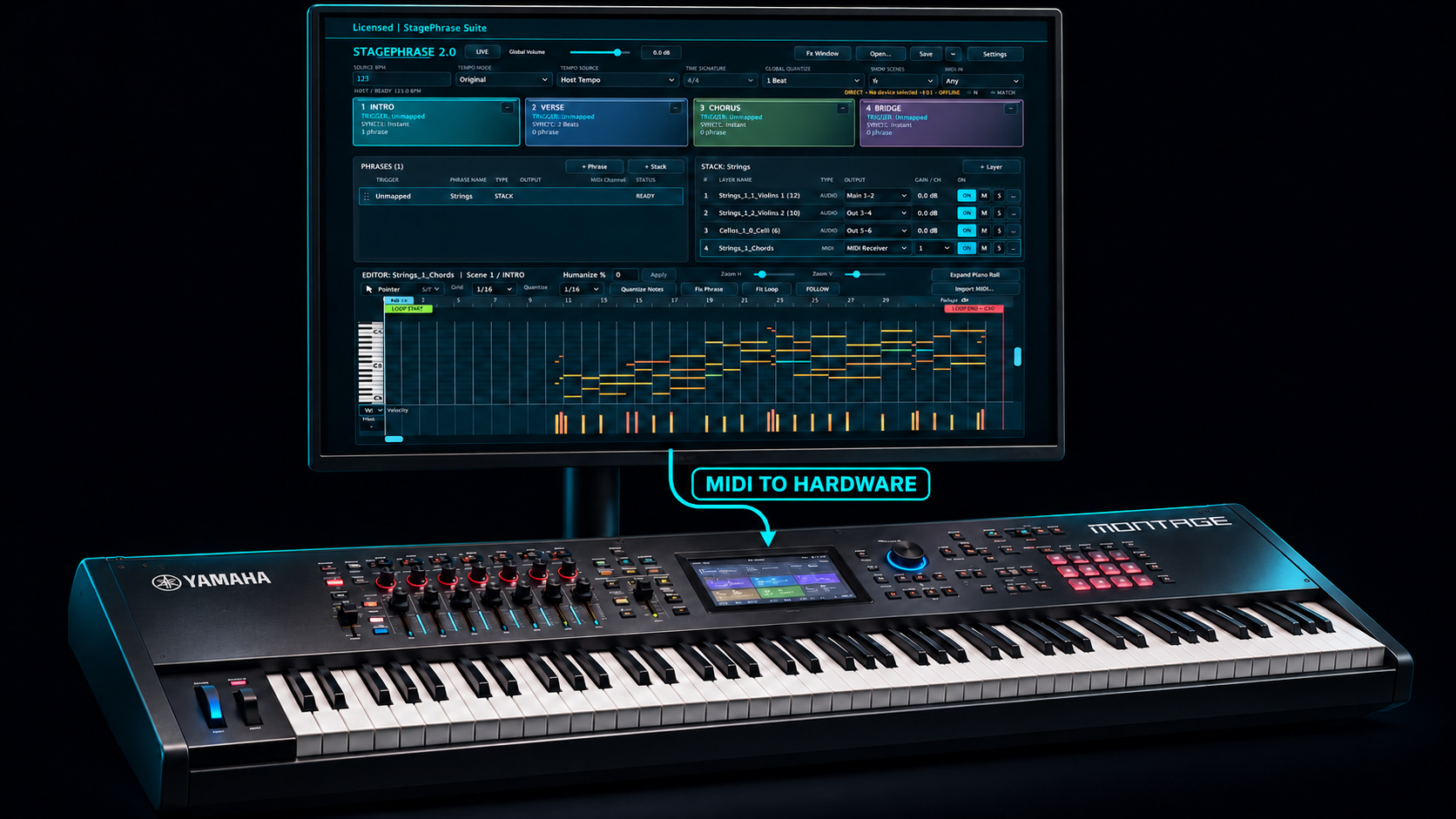
Send MIDI phrases to a named output and the matching receive channel on a hardware synth such as Yamaha MONTAGE. You can also use Direct MIDI for supported MONTAGE Scene messages. Keep software parts and audio backing tracks in the same arrangement.
Host setup and plug-in formats
- Apple MainStage
Load the AU instrument. Use MIDI Receiver on the destination instrument strip where needed.
- Logic Pro
Load the AU as a software instrument and choose Host Tempo for local sync.
- Gig Performer
Load the VST3 instrument. Connect its audio outputs and use Host MIDI Output for routing in Wiring view.
Download, trial and license.
€25 · Perpetual license · Up to three computer activations.
2.0.83 · Apple silicon (arm64) · macOS 12.0 or later · AU or VST3 instrument host
StagePhrase 2.0 release notes
One instrument for audio and MIDI
Play audio and MIDI phrases from one StagePhrase instrument. Create mixed Stacks with independent outputs for each layer, and organize phrases and Stacks in Scenes.
Timing and live control
Follow Host Tempo or external MIDI Clock, or receive musical timing through Network Sync. Use quantized launches, Pickup and supported Catch-Up modes. Supported MIDI Catch-Up can restore notes that should already be sounding.
Routing for software and hardware
Route generated MIDI to software instruments or named external MIDI destinations. Use MIDI Receiver on supported AU instrument strips or Host MIDI Output in the supported VST3 wiring workflow. Assign audio layers to separate outputs where the host supports them.
Editor and window improvements
Switch between the waveform editor and piano roll from the phrase or Stack layer list. The editor scales to the available screen, and Fit Window brings its controls back into view on smaller displays.
Moving from an earlier version
StagePhrase 2.0 uses a separate instrument identity from StagePhrase 1.x. Keep a copy of your earlier host project and leave its original plug-ins installed while setting up a separate 2.0 project. Recheck triggers, outputs and the timing source before performing. This installer keeps the existing StagePhrase Suite licensing and trial data.
Included in this macOS installer
StagePhrase 2.0.83 AU and VST3, StagePhrase MIDI Receiver 0.1.9 AU MIDI FX, Network Sender 0.1.4 AU Effect and VST3, and Network Sender 0.1.0 Logic AU Generator. Apple Silicon only. Minimum macOS 12; your host may require a newer version.