StageLoop — Free Sample Loop Editor

Find seamless sample loops for Nord, Yamaha MONTAGE and Decent Sampler.

  • Nord
  • Yamaha MONTAGE
  • Decent Sampler

Finding the perfect loop point in a sustained sample can be frustrating. StageLoop analyzes your audio, suggests promising loop points, and lets you preview, fine-tune and crossfade your loops before exporting them for your keyboard or sampler.

Free · macOS 0.9.24 · Windows x64 0.9.24

Windows x64 installer, version 0.9.24. The Windows installer is currently not digitally signed.

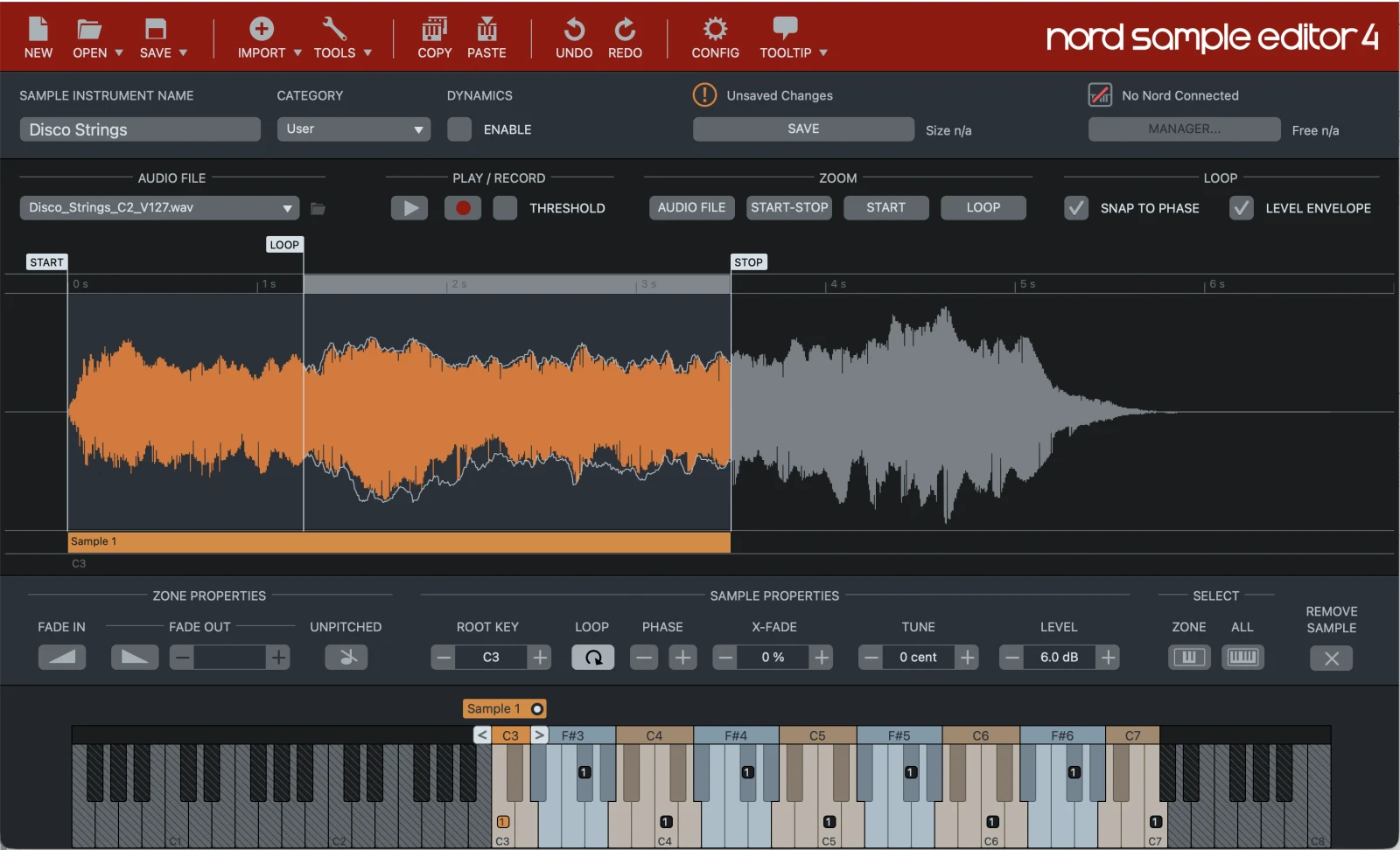
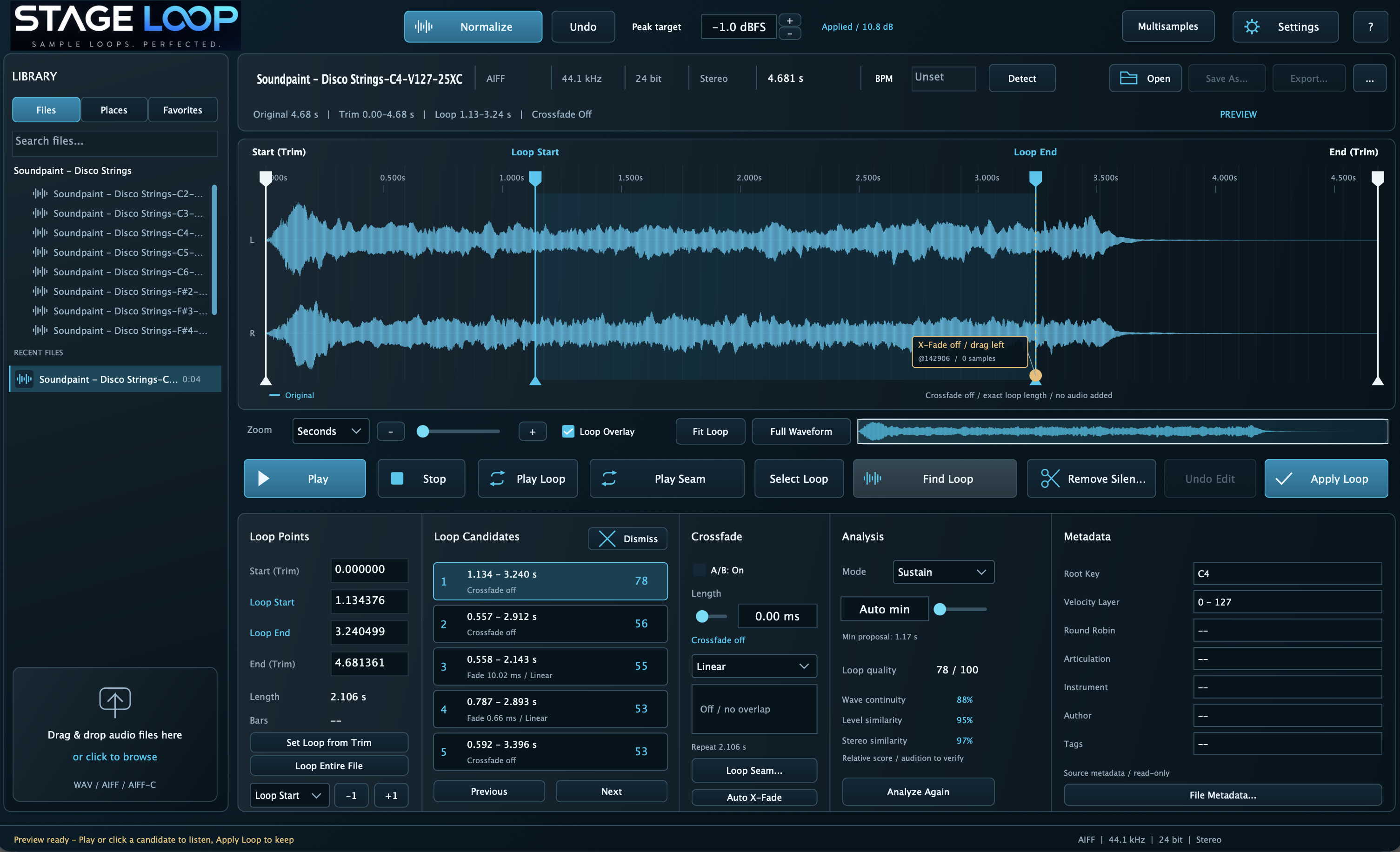
Nord Sample Editor 4 showing the Disco Strings waveform and loop markers StageLoop waveform editor showing a stereo sample, loop markers, five loop candidates and the analysis panel

Find Better Loop Points. Faster.

  1. Import and analyze. Open a WAV or AIFF sample and use Find Loop to get a list of promising loop candidates.
  2. Listen and refine. Compare candidates by ear. Move Loop Start and Loop End by hand when a join needs adjustment.
  3. Smooth and export. Add a crossfade if it improves the transition, then save your sample or export it for your sampler.
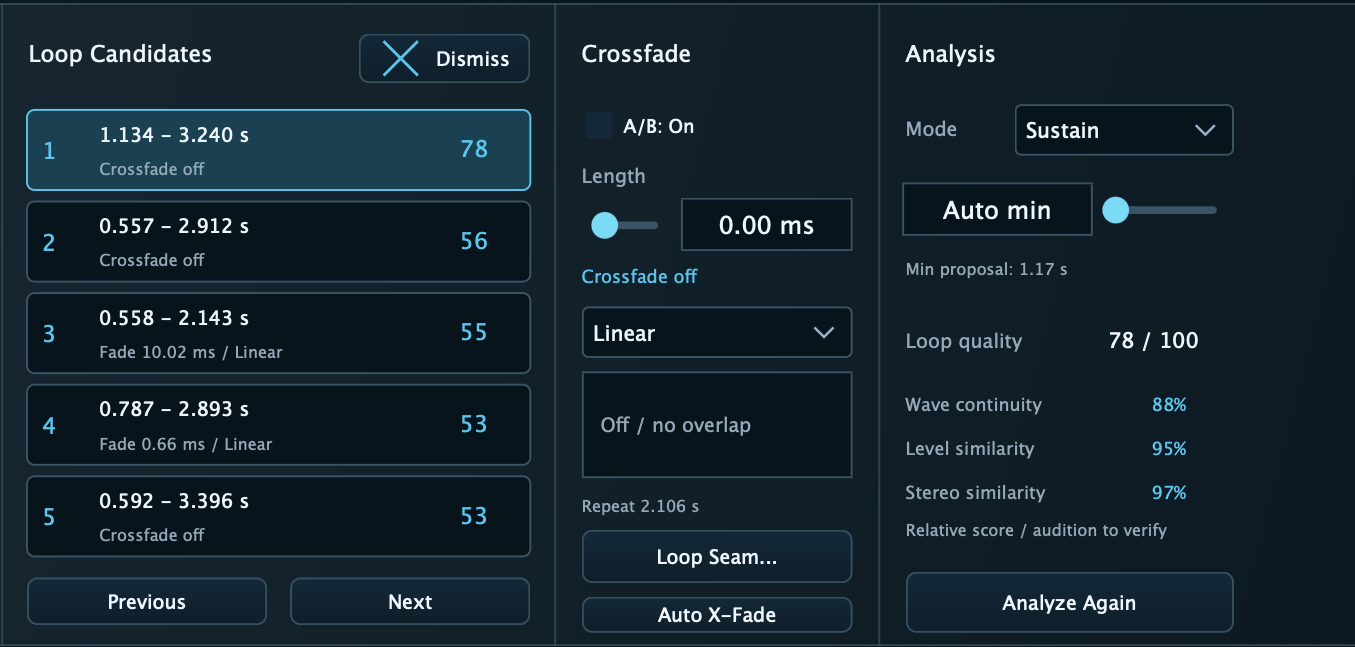
Five loop candidates with their scores, alongside crossfade controls and loop analysis
Compare loop candidates and check the analysis before auditioning the transition.

A Better Loop Editing Workflow for Nord Samples

StageLoop was built for Nord players who wanted more ways to find a good join in strings, pads and other sustained sounds. Analyze the recording, listen to the candidates and refine the loop before mapping samples across the keyboard.

Export the mapped samples as a Nord Sample Editor project. Open it in Nord Sample Editor to audition the instrument and transfer it to a compatible Nord.

Read the guide to finding seamless Nord sample loops

Nord export preview with mapped sample zones and loop switches
Review the keyboard zones and loop switches before exporting a Nord project.

One Workflow. Multiple Sample Formats.

Nord

Export a Nord Sample Editor project with mapped zones, loop points and its companion WAV files.
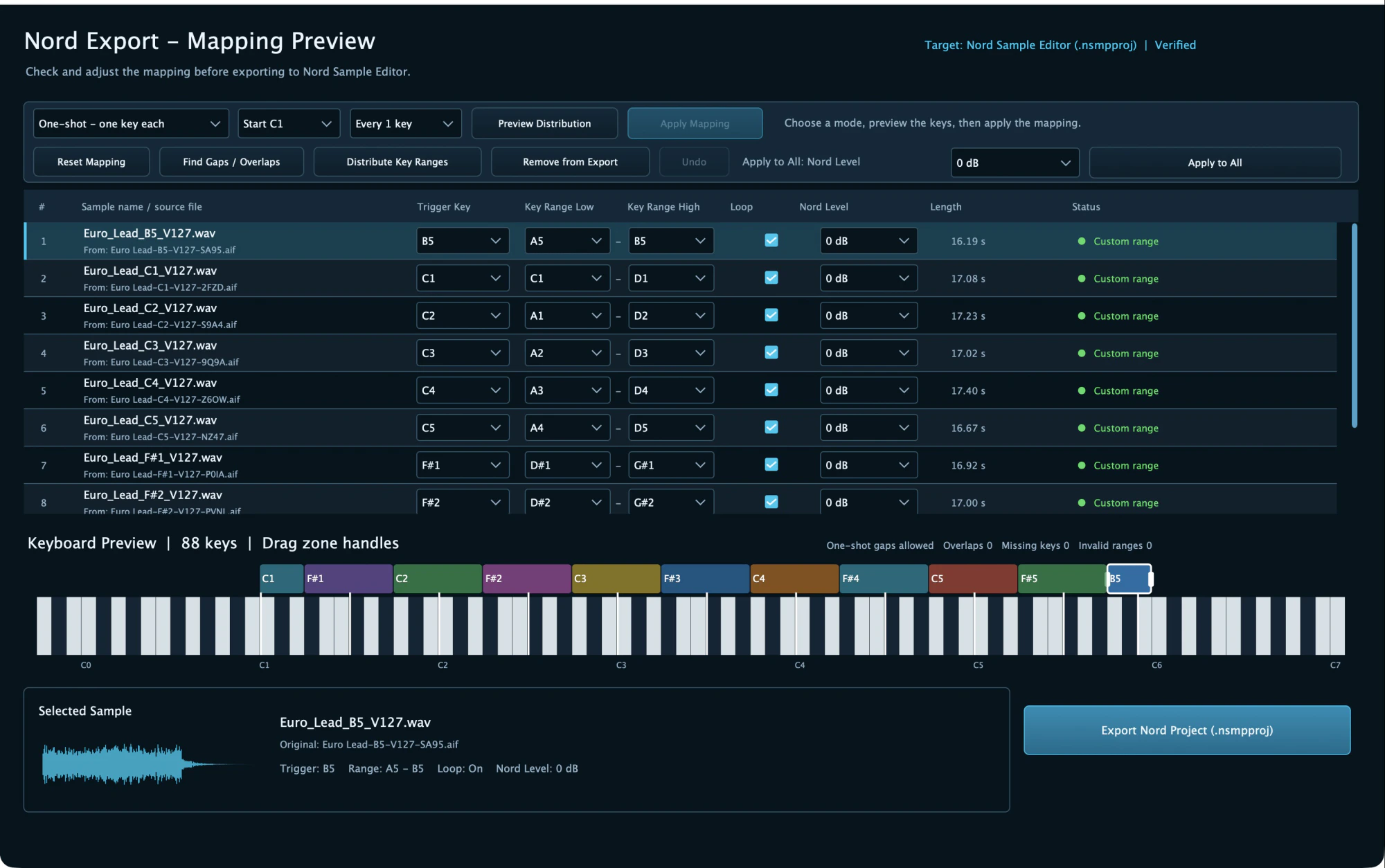
Nord export preview with mapped sample zones and loop switches

Yamaha MONTAGE

Prepare mapped multisamples and export a Yamaha MONTAGE or MODX library (.X7L).
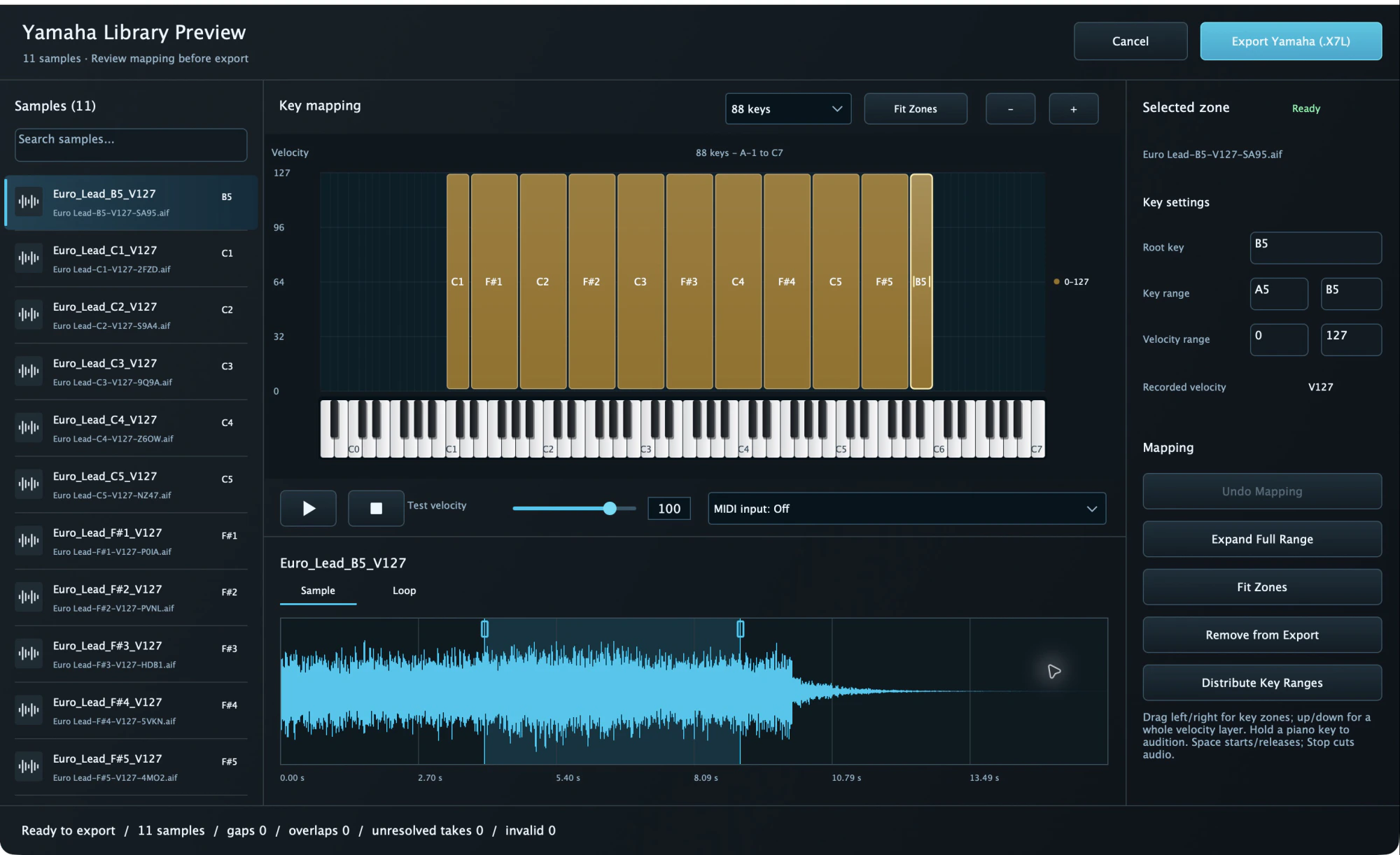
Yamaha Library Preview with sample mapping and keyboard zones

Decent Sampler

Create a Decent Sampler instrument (.dspreset) with its processed audio files.
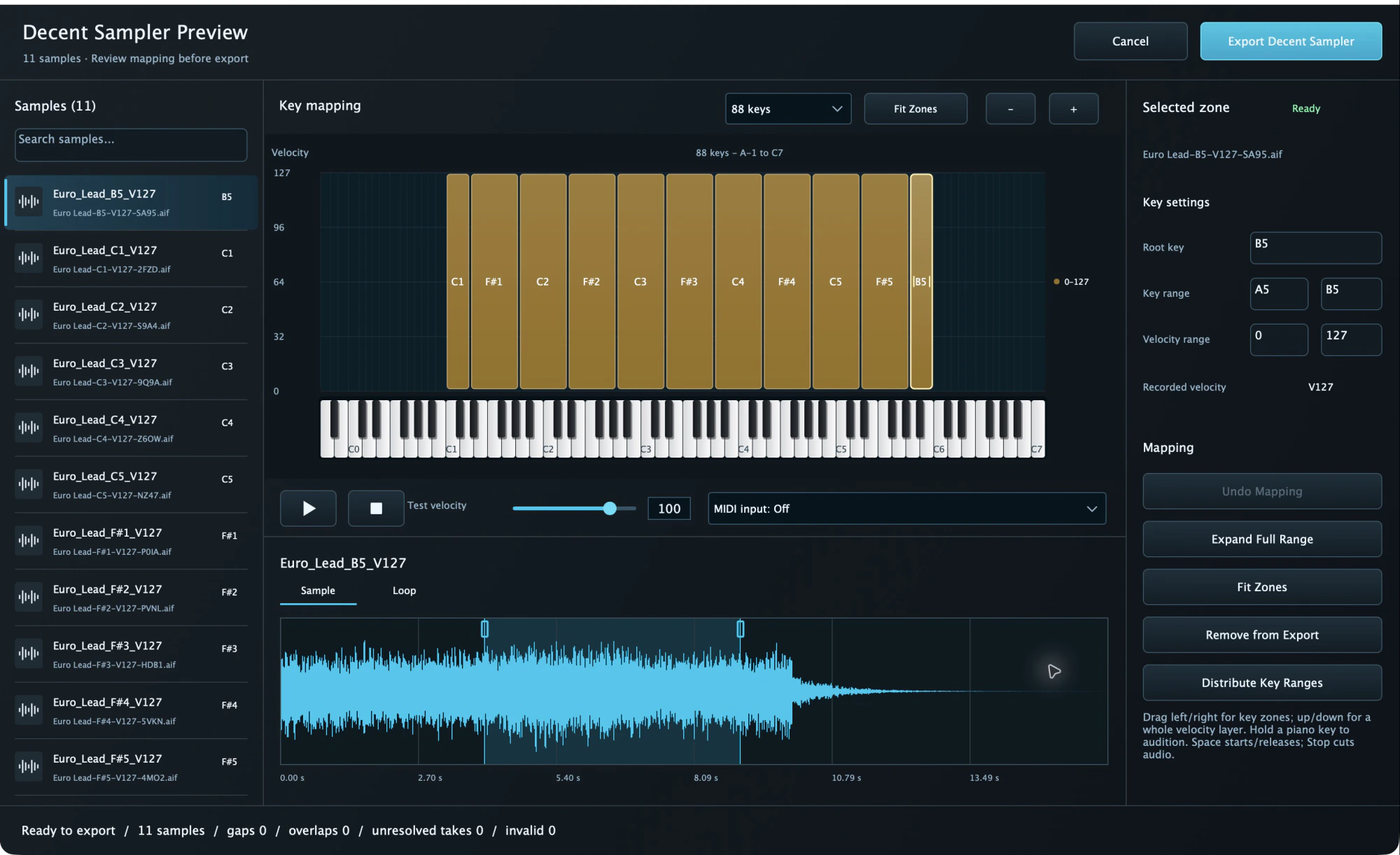
Decent Sampler export preview with mapped zones and a sample waveform

StageLoop also exports SoundFont 2 (.sf2) and general-purpose WAV or AIFF audio.

From Individual Samples to Multisample Libraries

Import files or a folder in Multisamples, then audition and refine each recording in the set. Review root keys and keyboard zones before export. For formats that support velocity layers, review the velocity ranges as well.
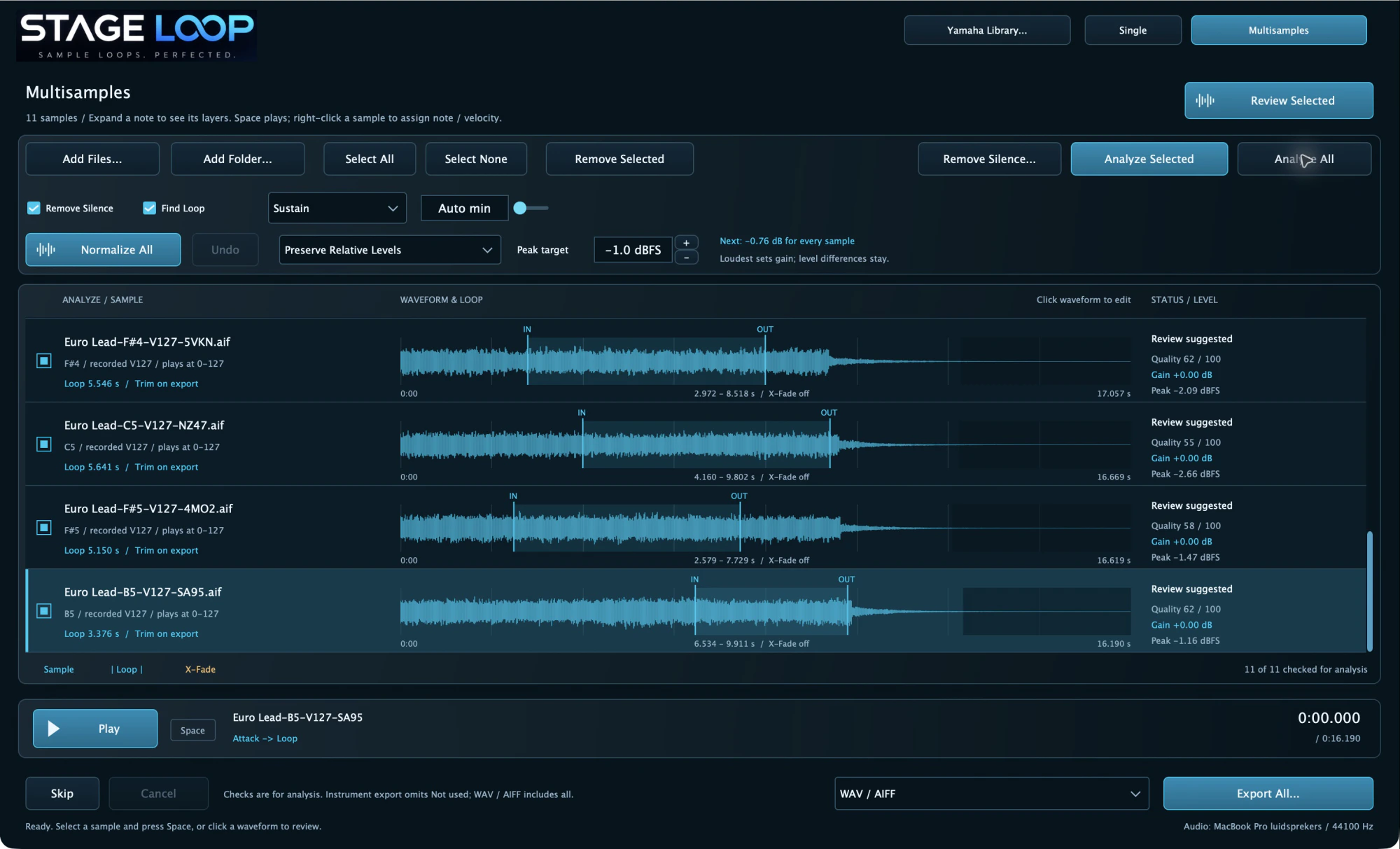
StageLoop multisample library with Euro Lead recordings, waveforms and loop analysis results
Review a sample set and its loop points before exporting a mapped instrument.
StageLoop 0.9.24 release notes
  • Open Logic Sampler (.exs) and Decent Sampler (.dspreset) instruments in Import Library. StageLoop brings in their samples, key zones, velocity ranges and loop points when the referenced audio is available.
  • Expand an instrument to audition or export a single sample as WAV or AIFF. Select the instrument to choose a destination and open the export preview.
  • Use Save & Return to Library in Multisamples to keep your edits in the instrument you opened and return to it in the library.
  • Use Build Yamaha Library to copy whole performances and their samples between libraries, then export the assembled Yamaha library.

Start Creating Better Sample Loops. For Free.

The macOS installer is signed and notarized. It installs StageLoop in Applications on Apple silicon Macs running macOS 11 or later.

Windows x64 installer, version 0.9.24. The Windows installer is currently not digitally signed.